Step Two - Preparing to upload
For those of you who are windows users, you will need to download something such as 7-Zip in order to unpack the tar.gz file. Create a folder to place the file in and unpack it. The resulting files will be all the data from your Cpanel account (including your mail in MailDir format). Find the homedir.tar and pull it out of the folder and extract it.
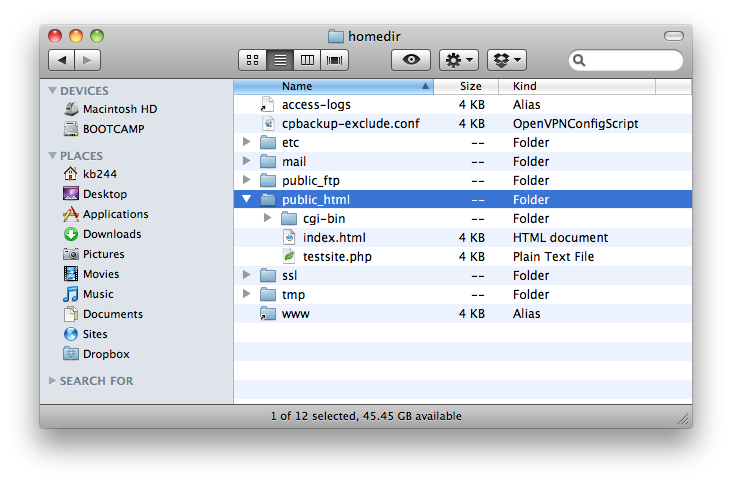
Once extracted you'll see various folders that was in your home directory. In /tmp you may even find some of your statistics such as webalizer which can be opened right from your desktop. The files you want to concentrare are in /public_html.
If you use any add-on domains, move them from the public_html folder. Once you've done that you can then compress the public_html folder content as a .zip file. Do the same for each one of the add-on domains. Don't delete the uncompressed copies just yet.